Transactions
Every operation across your accounts, with the totals of what you filtered, and a side panel that says why each one has its category.
What you see
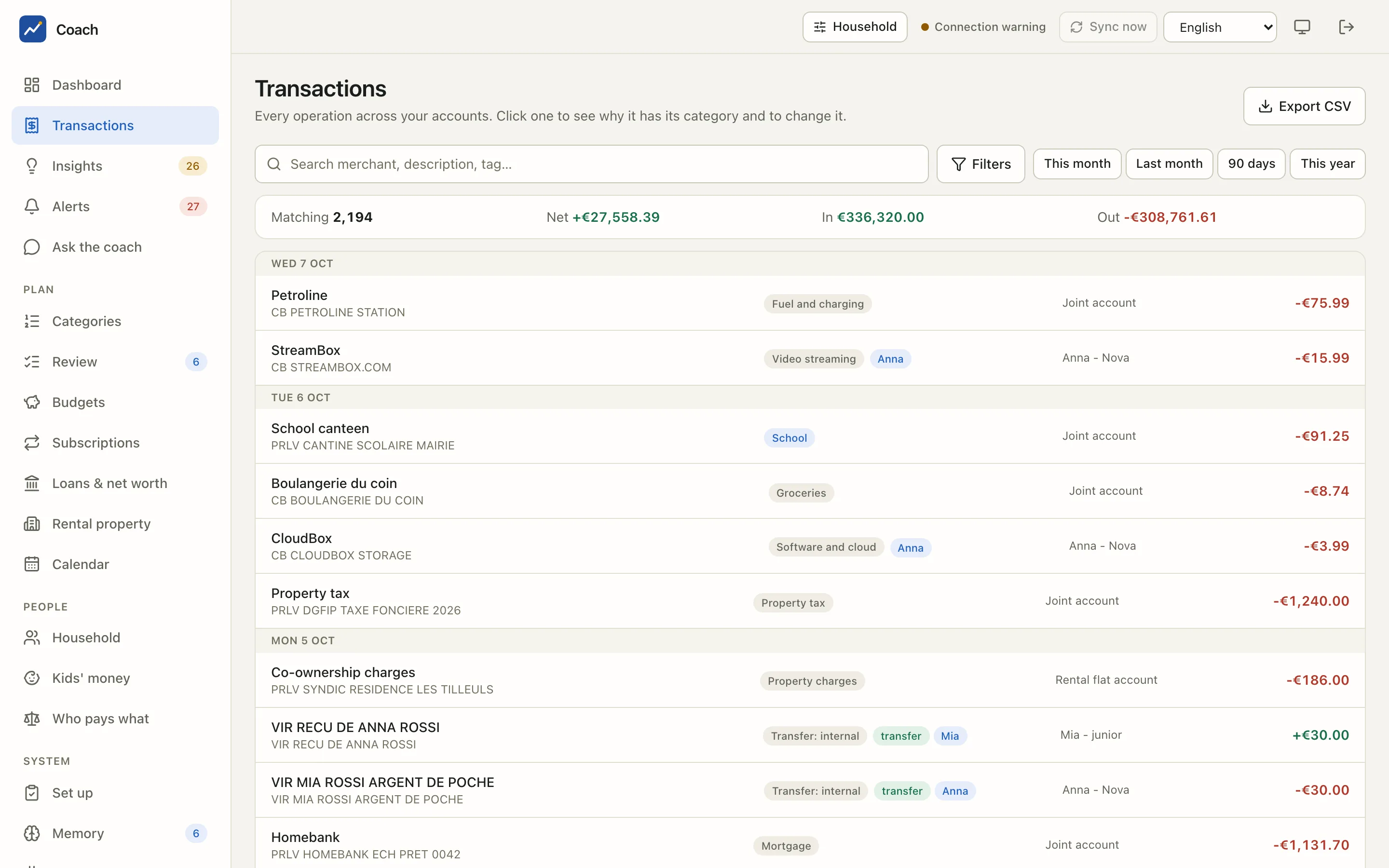
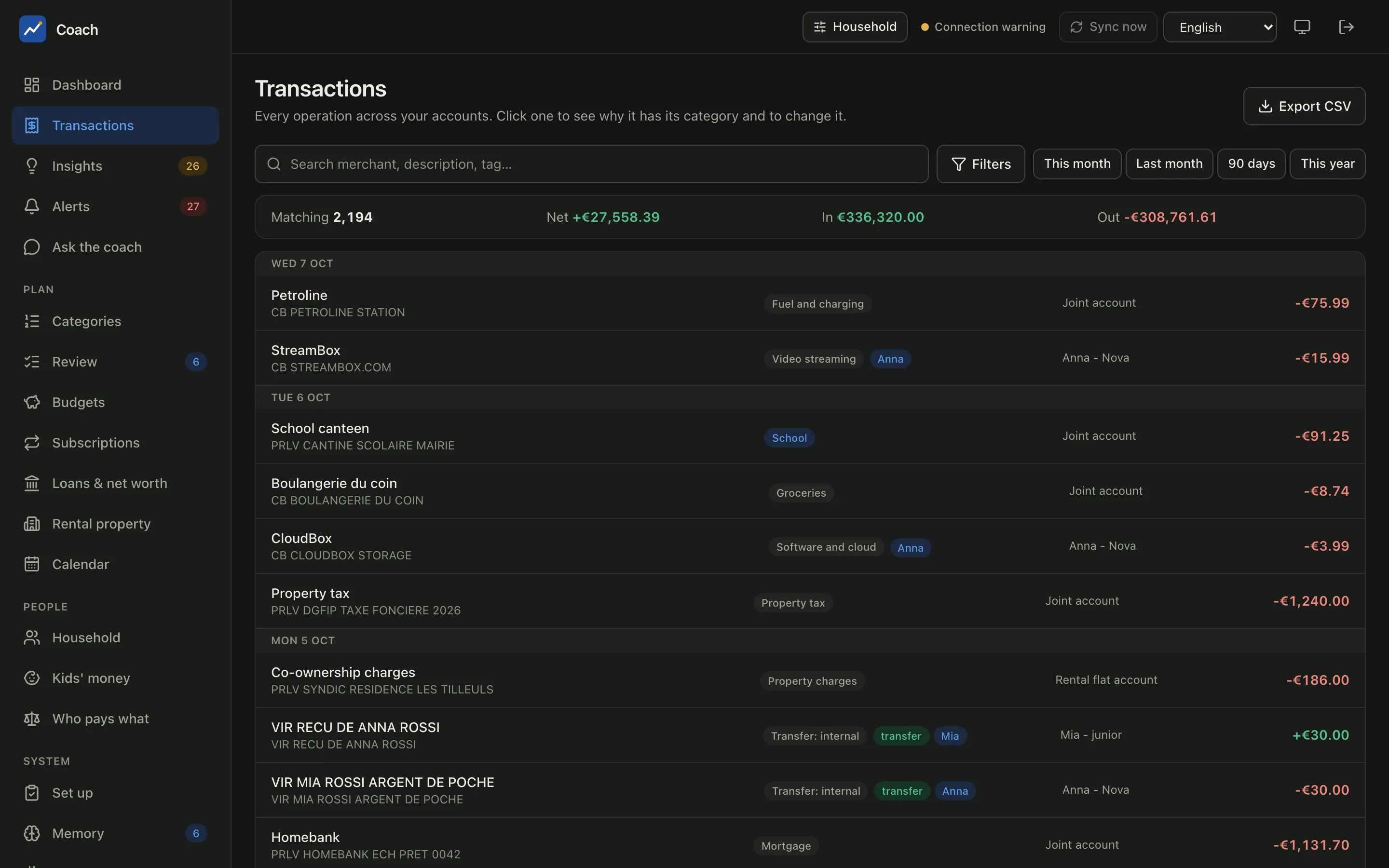
Each row shows the clean merchant name with the raw bank description under it, the category chip, the person it is attributed to when it is not the account's owner, a transfer chip for internal transfers, the account and the signed amount (money out is red). Rows are grouped by day.
Above the list, the totals bar sums the whole filtered set, not just the rows on screen:
| Field | Meaning |
|---|---|
| Matching | how many transactions match the filters |
| Net | money in minus money out |
| In / Out | the two sides apart |
The list loads more rows as you scroll (infinite scroll); a Load more button at the bottom does the same by hand.
Filtering
Type in Search merchant, description, tag… for a quick text search, or use the presets This month, Last month, 90 days and This year. Filters opens every other criterion:
| Filter | Use it for |
|---|---|
| From / To | a custom date range |
| Account, Person, Account purpose | one account, one member, or the accounts used for one purpose |
| Category | one category, or a whole group ("All Food") |
| Merchant contains | every variant of a merchant |
| Direction | Money out, Money in, or both |
| Amount from / Amount up to | a range in EUR |
| Tag, Event | what you annotated (a trip, works, a one-off) |
| Decided by | the source of the category: your label, a rule, the AI, a similar merchant... |
| Hide internal transfers | keep only real income and spending |
| Sort | Newest first, Oldest first, Largest first, Smallest first |
Clear filters resets them all.
Export exactly what you see
Export CSV downloads the filtered set, with the same filters. In French formatting the file uses ; and decimal commas, with a
UTF-8 BOM so a spreadsheet opens it correctly. Cells that look like formulas are neutralised.
The transaction panel
Click a row to open the panel on the right.
Why this category?
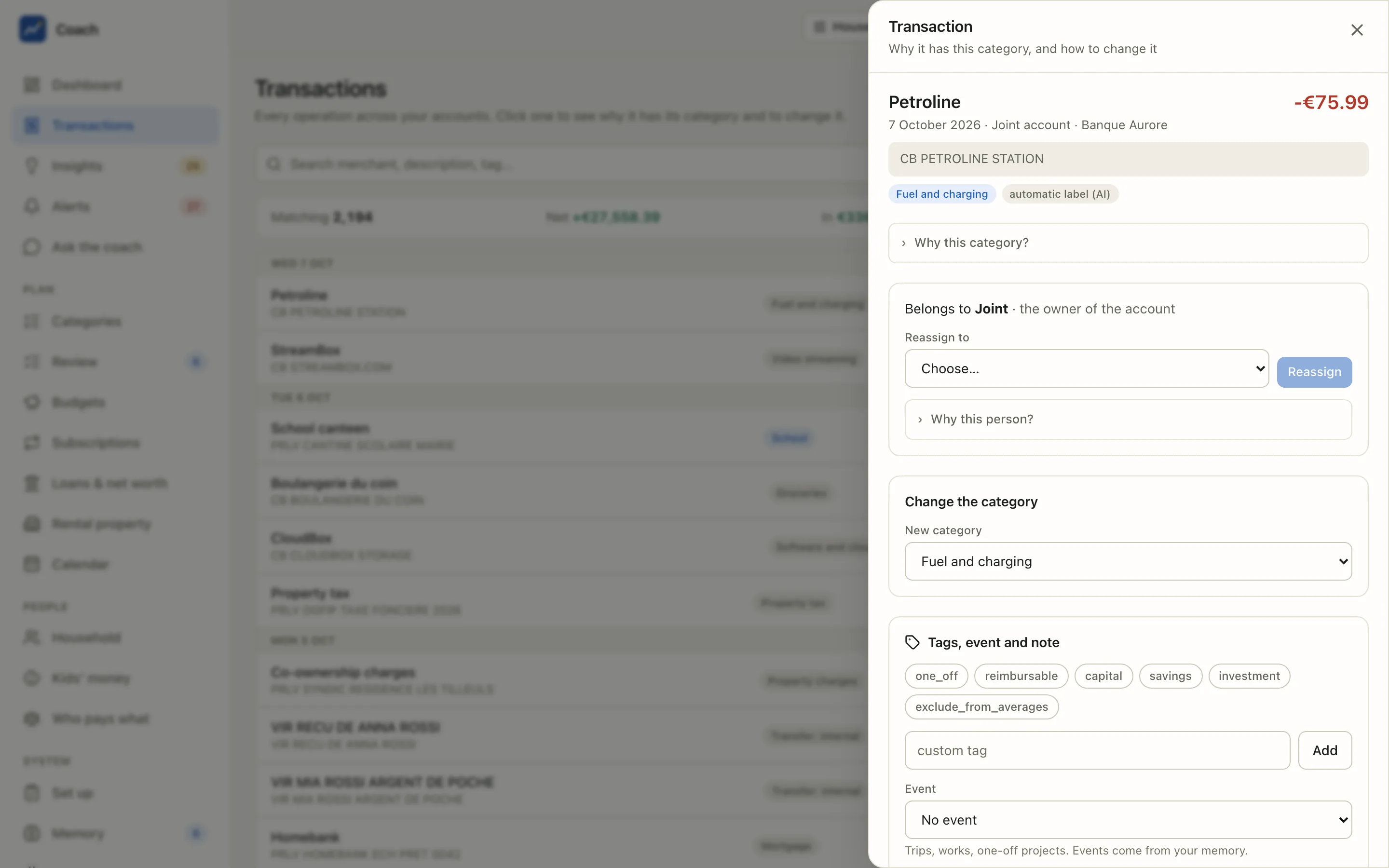
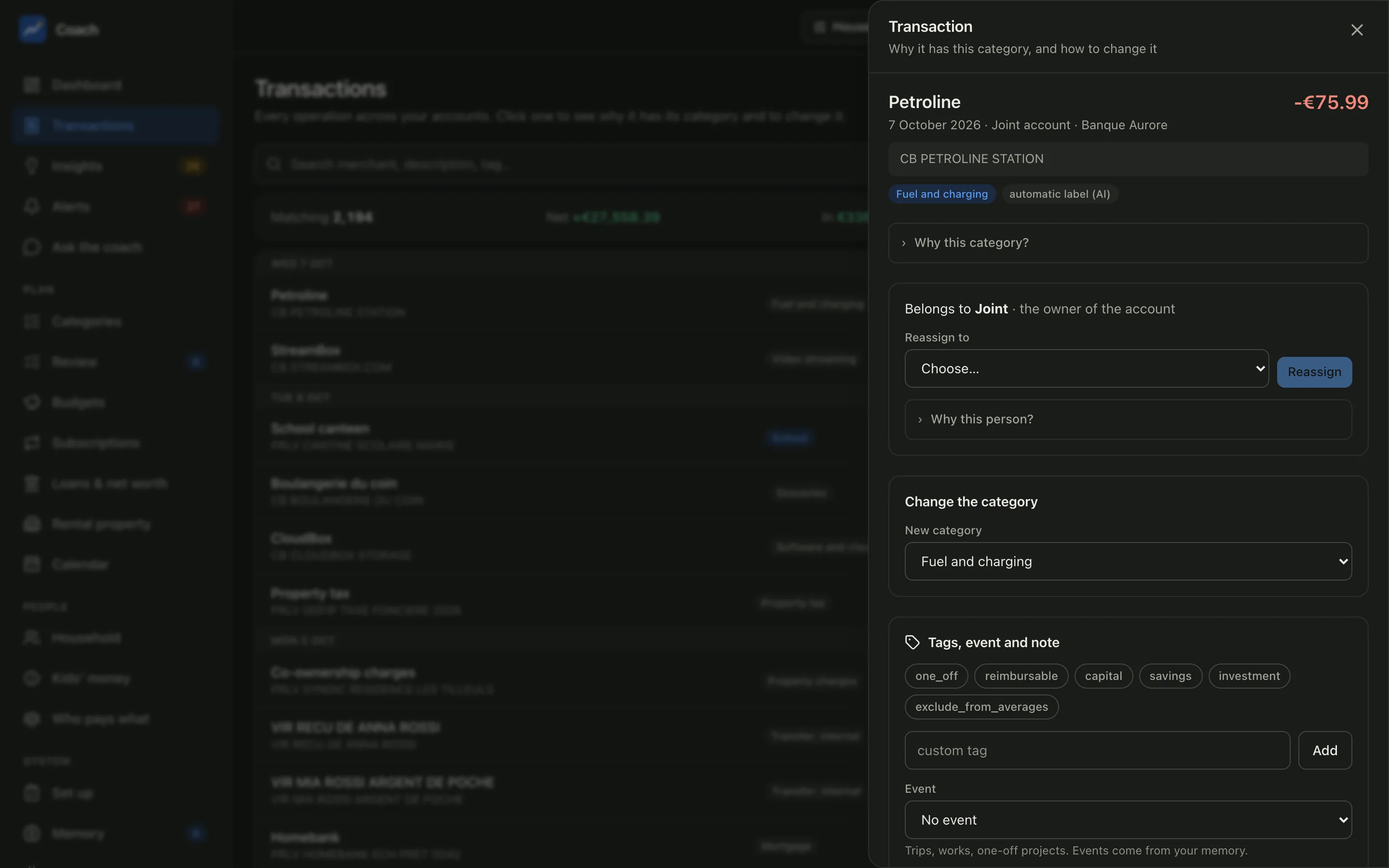
The panel shows the category and who decided it: your override, your label for this merchant, a built-in rule, a memory annotation,
an automatic label from a similar merchant, or an automatic label from the AI. Open Why this category? to see the full decision
chain: every step that applied, the one that decides, and the ones that applied but were outranked. It is the same chain as
coach explain.
Whose transaction
"Belongs to Joint · the owner of the account" (or a member, through an attribution rule, or because you reassigned it). Pick a member in Reassign to and press Reassign to attribute it by hand; the change is recorded and Undo my reassignment brings it back. Why this person? lists the account owner, every attribution rule and the history.
Change the category
Choose the New category, then where it applies. The picker is a search box: type part of a category, of its group or of its description ("insur", "cinema", "sante": case and accents do not matter) to narrow the list, then pick with the mouse or with the arrows and Enter. With an empty box it lists every category by group. The same picker is used on Review, Gold set, Budgets and the category filter.
| Option | Effect |
|---|---|
| This transaction only | A one-off exception; the merchant keeps its category. |
| Every " |
Teaches the app this merchant, for every transaction with the same key, now and in future syncs. |
| Remember with a memory annotation | Written to your household memory with a visible diff; it can carry tags and a note. |
Before anything is written, the panel shows a preview: "3 transactions will change to Groceries (total €...)", how many already are, and what would still win (an override, a transfer link). The preview runs the real classifier on the change, so it cannot disagree with the result. Press Apply to write it.
A memory annotation made here applies to the merchant or to this transaction only. To narrow it further, use the terminal (below).
One merchant, several things
One bank label sometimes covers payments that belong in different categories: an insurer that takes the home, the car and the health
policy, an energy supplier with two contracts, a shop that sells both groceries and clothing. A merchant label cannot tell them apart, a
memory annotation can, because its match combines the merchant with the amount and the bank text:
# the payments of about 50 a month at this insurer are the home policy (amounts are signed: money out is negative)
uv run coach memory annotate --id insurer-home --merchant-key '^INSURER' --amount-min -52 --amount-max -48 \
  --category housing.home_insurance --dry-run
# better when the bank text carries the contract or direct-debit mandate reference: it survives the yearly price change
uv run coach memory annotate --id insurer-car --merchant-key '^INSURER' --description 'CONTRACT-REF' \
  --category transport.car_insurance --dry-run
--dry-runlists the transactions each annotation would catch: check that every payment of the merchant lands in exactly one of them. The first matching annotation wins; Memory > Annotations shows how many transactions each one matched and decided.- An amount band has to follow the price: premiums usually change once a year. A reference in the description does not.
- Two payments with the same amount and the same text cannot be told apart: keep them in one category, or split each transaction.
- For Subscriptions, a contract file per policy separates them the same way (
merchant_matchplus anamount_matchband);coach subs draft-contractsadds the band itself when several series share one label. - Split is something else: it divides ONE transaction over several categories (
coach split).
Tags, event and note
Tag a transaction with the ready-made tags (one_off, reimbursable, capital, savings, investment, exclude_from_averages) or a
custom tag, link it to an Event from your memory (a trip, works, a one-off project), and add a Note. Save to memory writes a
memory annotation. A note alone is not saved: add a tag or an event as well.
Why tags matter
one_off and exclude_from_averages keep a big unusual payment out of your usual month, so the averages, the budgets and the
forecast stay honest. savings and investment feed the savings rate.
The panel also shows when a transaction is overridden, split over categories, or linked as an internal transfer, each with a button to remove it.
Good to know
- Transaction descriptions are written by third parties. The app shows them as text; the coach treats them as data, never as instructions.
- The
tx_keythat identifies a transaction appears only in URLs, never as text. IBANs are masked to their last 4 digits. - Every write goes through the memory store: validated, recorded in the history, and reversible from the terminal.
From the terminal
uv run coach explain "STREAMBOX"                          # the decision chain of one transaction
uv run coach classify correct "<merchant_key>" food.groceries --name "Fresh Market"
uv run coach memory annotate --merchant-key '<regex>' --tags one_off --note "why" --dry-run
uv run coach memory annotate --merchant-key '<regex>' --amount-min -52 --amount-max -48 --category group.leaf --dry-run
uv run coach split --help                                 # split a transaction over categories
See also
- Categories & review: the classification pipeline and the review queue.
- Household & kids: attribution rules.
- Web app reference and Memory reference.